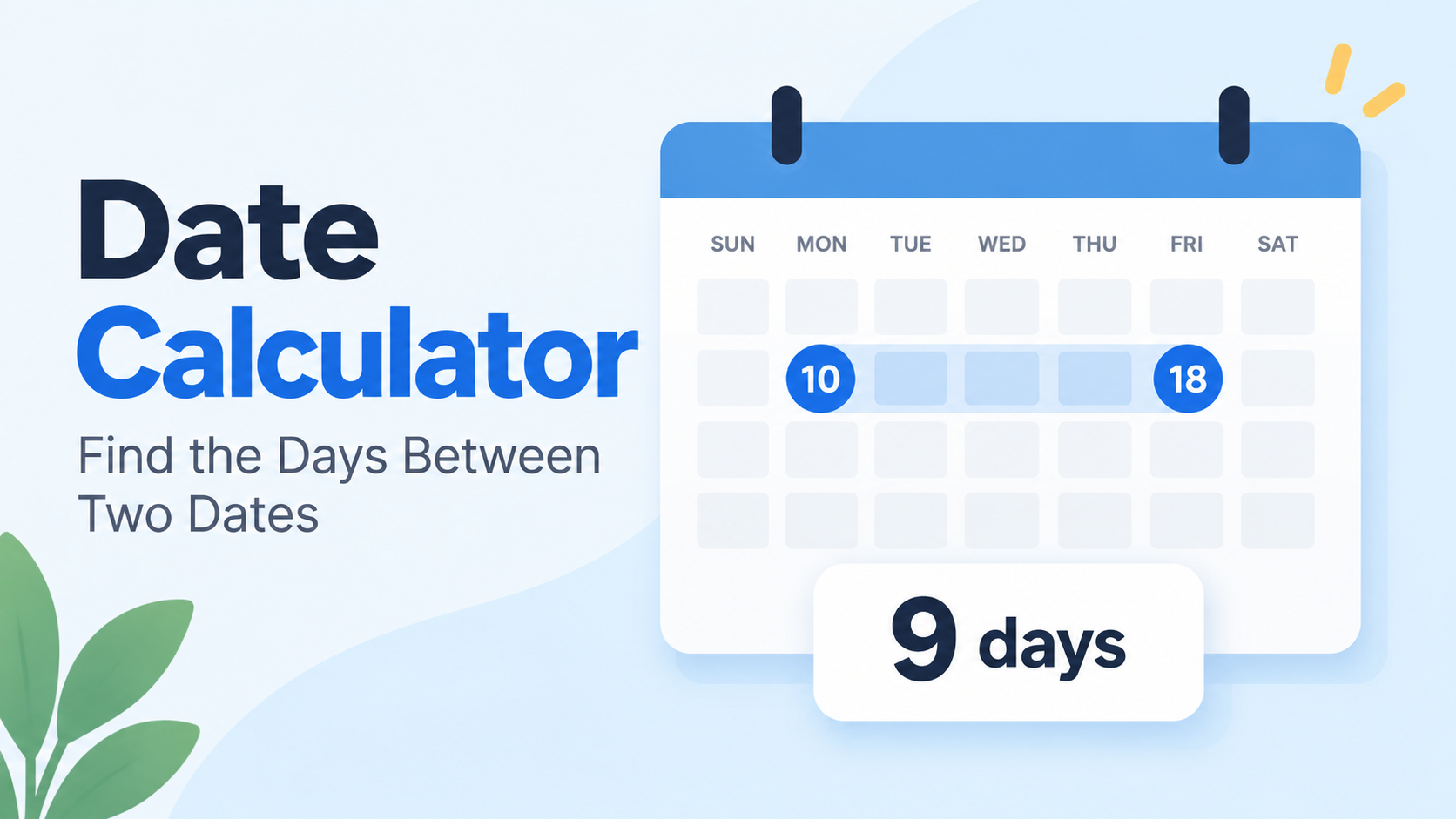
A date calculator between two dates gives you the exact span between any two calendar dates—total days, weeks, months, and years. Enter a start date and an end date, choose whether the end day counts, and it handles leap years for you.
How to Use a Date Calculator Between Two Dates (Step by Step)
A date calculator between two dates turns two calendar dates into a precise duration. It does the math that manual counting often gets wrong: different month lengths, leap years, weekends, and whether the final day belongs in the total. Most tools return the result in several formats at once, so you can pick the unit that fits the task.
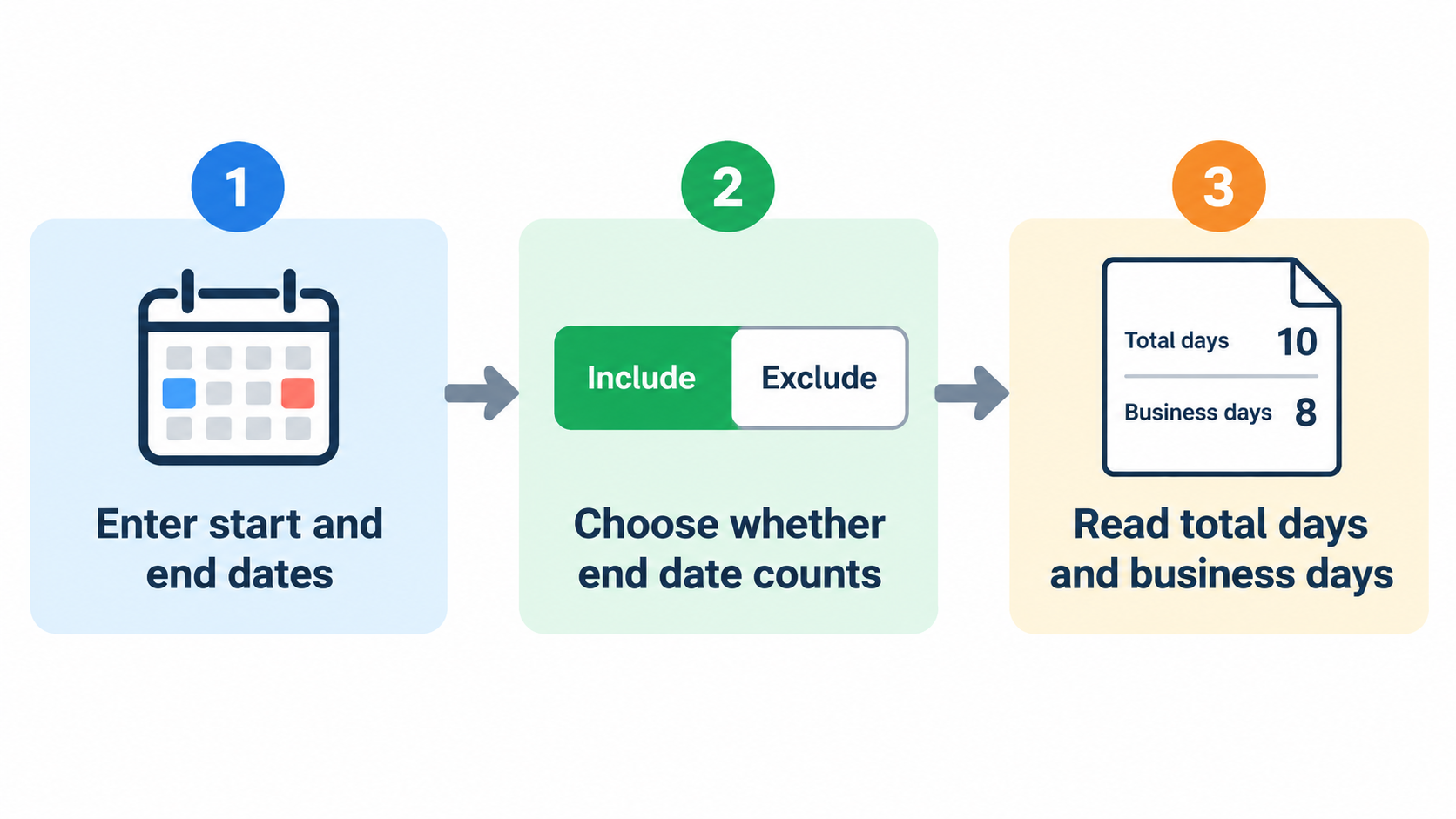
Step 1: Enter Your Start Date & End Date Inputs
Open the tool and find the two required fields: Start Date and End Date. Put the earlier date in Start Date and the later date in End Date. If your tool accepts dates in any order, the result is still an absolute span. Use ISO-8601 format when you can, such as 2026-10-01, because 03/04/2026 means April 3 in most countries and March 4 in the US. CalcOpenly notes that ISO dates avoid that day-and-month ambiguity.
Step 2: Decide Whether the End Date Counts
Look for an “include end date” or “count end date too” toggle. Most calculators default to exclusive counting: end date minus start date, so the final day is not counted. Turn the toggle on when both the first and last day count, such as leave from Monday to Friday or an event that runs through its closing day. This one setting changes the answer by exactly one day.
Step 3: Read Total Days, Weeks, Months, and Years
Read the output in four forms: total days, total weeks and leftover days, calendar-style years/months/days, and business days. For example, CalcOpenly shows that 1 October 2026 to 30 December 2026 is 90 total days, 0 years 2 months 29 days, 12 weeks and 6 days, and 64 business days. Use that worked span as a sanity check. If a tool returns a different total for the same dates, check its end-date and holiday settings before you trust it. The Gregorian calendar is the default basis for these counts.
Inclusive vs Exclusive Counting: Does the Calculator Count the End Date?
The default convention in most date calculators is exclusive: the calculator counts the first date but not the ending date. As PK, DQYDJ notes: “it counts the day of the first date but not the ending date.” That is the same convention as subtracting one date from another in a spreadsheet, which is why adding one day to the end date often produces the “missing” day.
Four Common Day-Count Conventions Compared
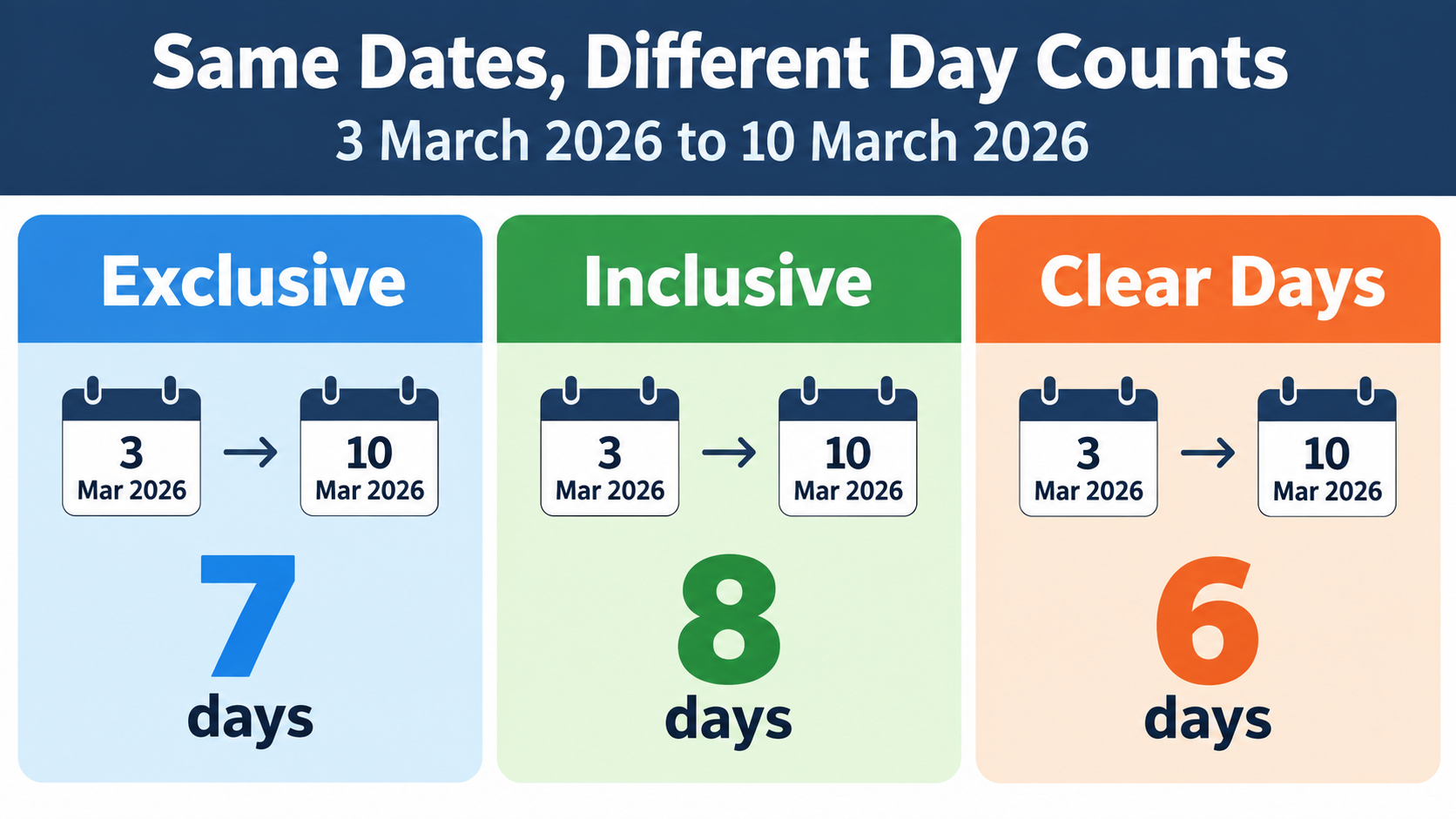
Four conventions cover most real-world uses. Subtraction, the calculator default, counts the start date and leaves out the end date. Inclusive counting counts both the start and end dates. Clear days exclude both ends. US federal court deadlines use a fourth rule: exclude the trigger day, count every day including weekends and holidays, and include the last day unless it falls on a weekend or holiday. CalcOpenly shows that the same 3–10 March 2026 pair can be 7, 8, or 6 days depending on the convention.
Why ‘3 March to 10 March’ Can Be 6, 7, or 8 Days
Take Tuesday 3 March 2026 to Tuesday 10 March 2026. Subtracting the dates gives 7 days. Counting both ends gives 8 days. Counting neither end gives 6 clear days. Contracts, leave policies, and statutes each pick a convention, and choosing the wrong one moves a deadline by a day. The fix is to state the convention in writing, not to assume the calculator’s default matches the rule you are working under.
US Federal Court Deadline Rule: FRCP 6(a)
US federal courts follow Federal Rule of Civil Procedure 6(a). The rule excludes the day of the triggering event, counts every day including weekends and holidays, and includes the last day—but if that last day is a Saturday, Sunday, or legal holiday, the period runs to the next day that is not. A 10-day period triggered on Wednesday 4 March 2026 would end on Saturday 14 March, so it moves to Monday 16 March. This is a non-default convention, which is why a standard calculator’s exclusive-end result should not be used for court deadlines without adjustment.
How Leap Years and Unequal Months Affect Your Result
Leap years and uneven month lengths are the two biggest reasons manual date math fails. A leap year adds one day to any span that crosses February 29. Unequal months mean a month is not a fixed number of days, so month-based output depends on where the span starts.
Why February 29 Adds One Day
The Gregorian calendar adds February 29 in years divisible by 4, except century years not divisible by 400. According to datecalculatorbetweentwodates.com, January 1, 2024 to January 1, 2025 is 366 days, while January 1, 2025 to January 1, 2026 is 365 days. A span that crosses February 29 gains one day; a span that does not cross it does not. That single day can change a payroll period, an interest calculation, or a contract deadline.
Month-End Clamping: Jan 31 + 1 Month = Feb 28 or 29
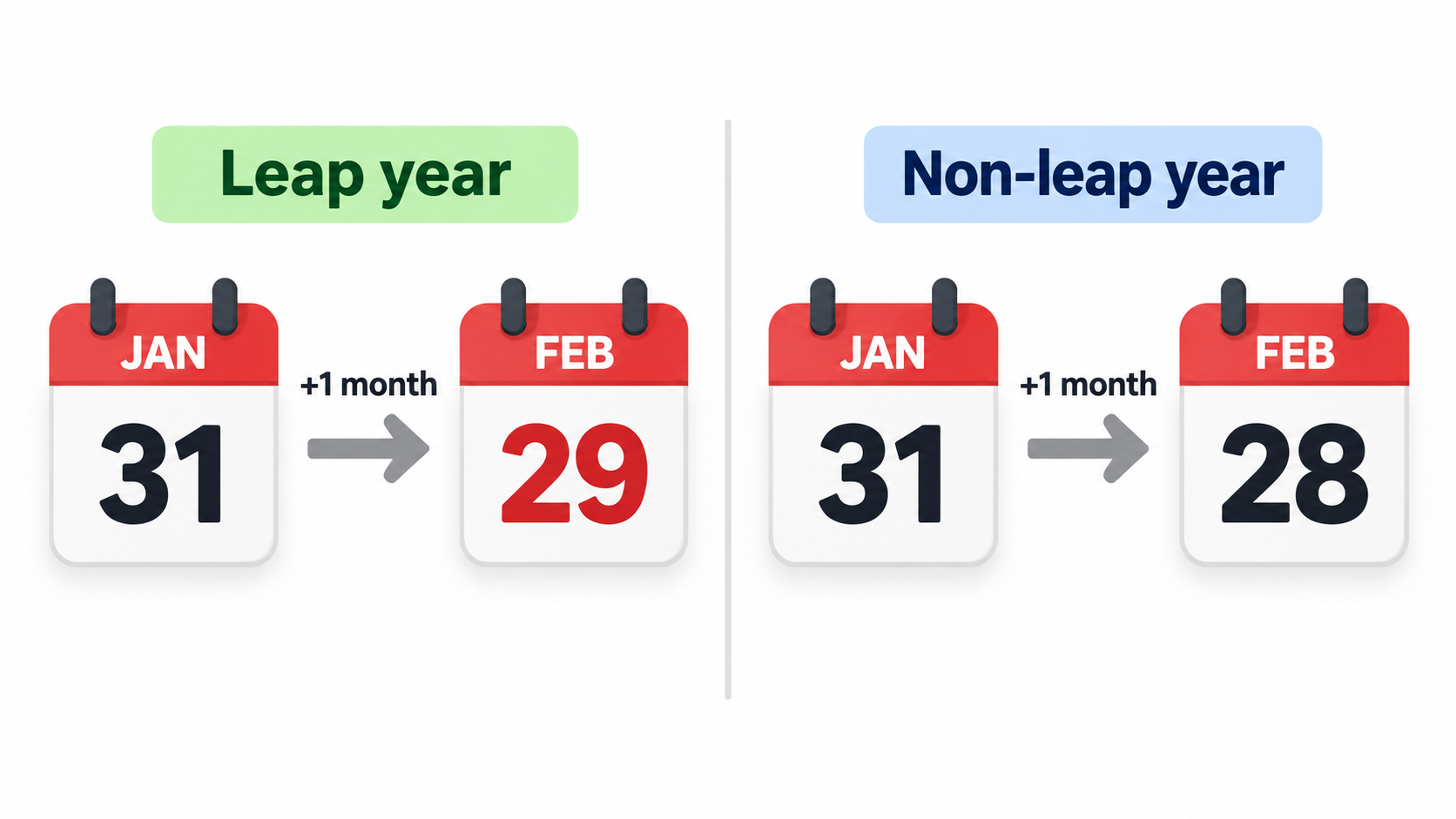
Month addition uses end-of-month clamping. If the target month does not have the same day number, the result becomes the last day of that month. CalcOpenly gives the example of 2024-01-31 to 2024-03-01: the total is 30 days, which reads as 1 month and 1 day because one month after 31 January is 29 February in a leap year. In a non-leap year, 31 January plus one month becomes 28 February. The same rule explains why 31 January to 1 March 2024 is not a clean two months.
Gregorian Calendar: The Default Basis for Every Count
Standard date calculators use the Gregorian calendar for all dates, including dates before the calendar was widely adopted. The Gregorian calendar divides the year into 365 days, with 366 in a leap year, and splits it into 12 months of 28–31 days. Its leap-year cycle is why a calculator can return an exact result while manual counting drifts by a day or more.
Calendar Days vs Business Days: What Changes?
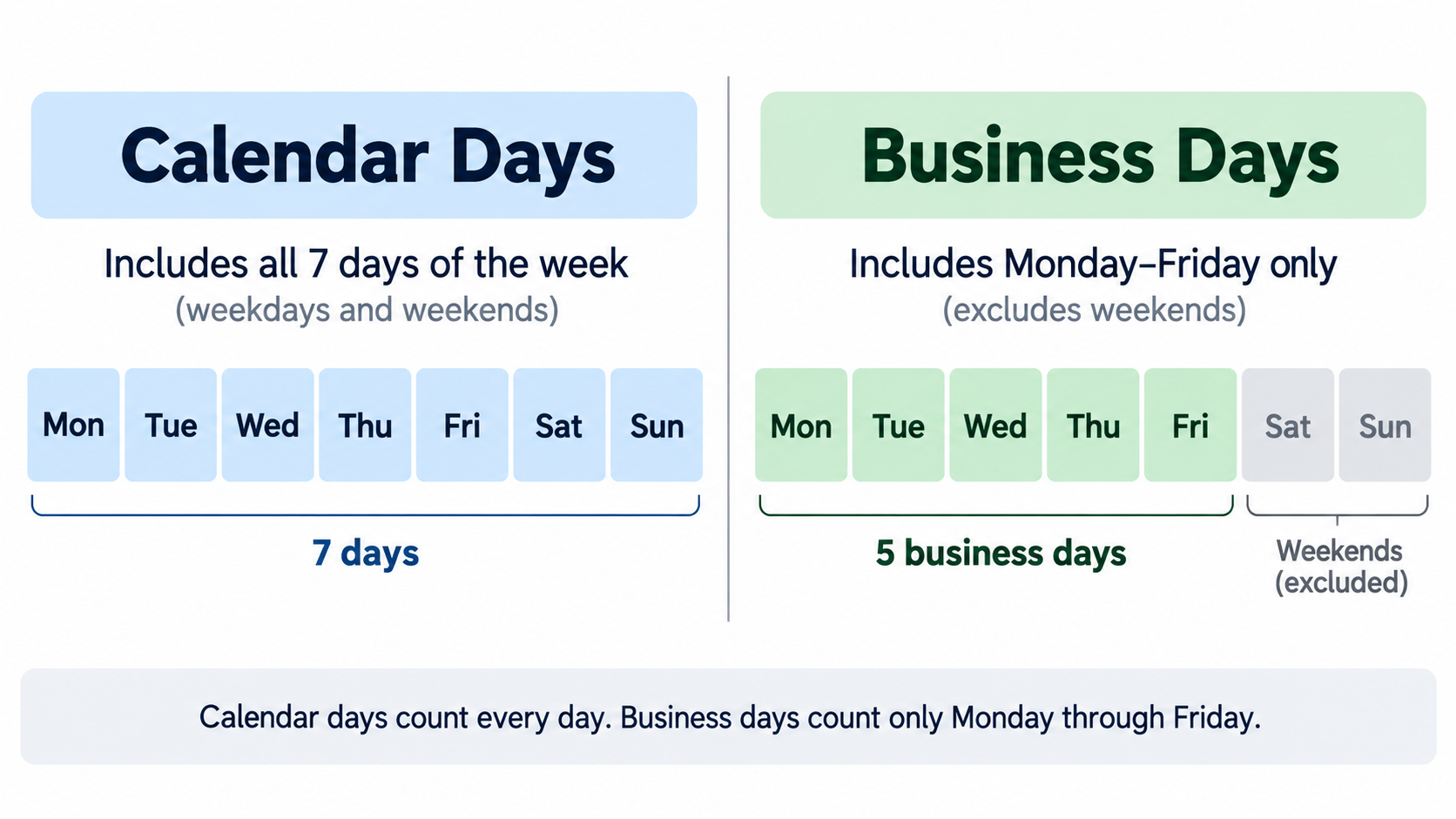
Calendar days count every date on the calendar, including Saturdays, Sundays, and holidays. Business days, also called working days, usually count Monday through Friday only, and may exclude public holidays. The distinction matters when you are measuring elapsed time versus time available for work.
How Business Day Counts Treat Weekends
By default, business day counts treat Saturday and Sunday as non-working days. A tool may also let you change the weekend definition—for example, Friday–Saturday—but the common US setting is Saturday–Sunday. CalcOpenly notes that whole-day counts are unaffected by time zones and daylight saving time; only hour-level counts change when a clock change falls inside the span. If you need Monday–Friday only, use the business-day output rather than the total-days output.
Do Business Day Calculators Exclude US Public Holidays?
Most basic calculators exclude weekends only and leave public holidays to the user. File Toolbox states plainly that its business-day count skips Saturdays and Sundays only and does not remove public holidays. Some tools offer a US federal holiday option or a custom holiday list; HowLongAgoGo says its business-day calculator includes public holidays for multiple countries, including the US. Check whether observed holidays are included before relying on the result for payroll or legal deadlines.
The Weekend Holiday Double-Count Trap
A holiday that falls on a weekend should not be subtracted twice. If a Saturday holiday is observed on Friday, you subtract one working day, not two. CalcOpenly illustrates the principle with England and Wales: over Christmas 2026, 26 December is a Saturday and the Boxing Day bank holiday moves to Monday 28 December, so listing 25, 26, and 28 December removes three days, not four. For US dates, the same logic applies to any federal holiday whose observed date shifts to a weekday.
Weeks, Months, and Years Breakdown: Why 90 Days Isn’t Always 3 Months
The calendar-style output expresses total days as X years, Y months, and Z days. That format is useful for human-readable durations, but it is not a fixed fraction of a year. Months have 28–31 days, so the same number of total days can produce different month-and-day labels depending on the start date.
Reading the Calendar-Style Output
For the days between two dates such as 1 October 2026 to 30 December 2026, the result is 90 total days, 0 years, 2 months, and 29 days, or 12 weeks and 6 days. CalcOpenly also shows 2,160 hours for that span. Additional outputs may include minutes and seconds, calculated as days × 1,440 and days × 86,400. Read the calendar-style line as a convenience label, not as a substitute for the total-day count.
When to Trust Total Days Instead
Use total days when the deadline, billing period, or contract is written in days. In the CalcOpenly example, two spans with the same number of days can show different months-and-days figures because of month-end clamping. If the agreement says “30 days,” use 30 days. If it says “one month,” use the month figure and check the end-of-month case. Total days is the safest unit for legal deadlines, payroll, and interest calculations.
Add or Subtract From a Date: The Companion Tool
The add/subtract side of the date calculator answers a different question: what date is X days, weeks, months, or years from a starting point? It is the companion to the between-dates calculator, not a replacement for it. The between-dates calculator measures the span between two known dates; the add/subtract tool projects a new date from one known date and a duration.
Add/Subtract Years, Months, Weeks, or Days
Enter a start date, choose add or subtract, and enter the amount and unit. The tool uses the same Gregorian calendar and end-of-month clamping rules as the between-dates calculator. For example, 2024-01-31 plus one month equals 2024-02-29 in a leap year, not March 2 or March 3. When the target month lacks the start day, the result falls on the last day of that month.
Related Tool: Age Calculator
An age calculator applies the same date arithmetic to a birth date and a reference date. It returns exact age in years, months, and days, and may also show total days alive, weeks, and the next birthday. Event countdown tools use the same span logic in the opposite direction, counting down to a future date such as a holiday, wedding, or product launch. Keep the between-dates calculator focused on the two-date span and link out for add/subtract, age, and countdown queries.
US Scenarios: Payroll, Court Deadlines, and Project Planning
US users often need more than a simple day count. Payroll, court deadlines, and project schedules depend on business days, holiday observance, and a clearly stated counting convention. The same two dates can produce different answers in each context if the convention is not defined.
Federal Court Deadlines
Federal court deadlines follow FRCP 6(a): exclude the trigger day, count weekends and holidays, include the last day, and roll forward if the last day is a weekend or holiday. A 10-day period triggered on Wednesday 4 March 2026 ends on Monday 16 March 2026 because the natural end date is Saturday 14 March. A standard calculator set to exclusive-end counting would return 10 days but would not perform the roll-forward, so use a court-deadline tool or apply the rule manually.
Payroll and Billing Cycles (Weekly, Biweekly, Semi-Monthly)
Weekly, biweekly, and semi-monthly payroll cycles depend on business-day counts and holiday observance. Use business-day output to estimate pay periods and billing periods, then subtract any US federal holidays that fall on weekdays. If the holiday is observed on a different date, adjust the count so the holiday is not double-counted. The same logic applies to invoice due dates and notice periods.
Project Planning with Business Days
Project schedules should use a holiday-aware business day count, not a simple Monday–Friday filter. For 2026, start from 261 weekdays and subtract US federal holidays that fall on weekdays; verify observed dates for Saturday and Sunday holidays. CalcOpenly reports 261 weekdays in 2026 and, for England and Wales, 253 working days after 8 bank holidays, which shows how much a jurisdiction’s holiday list changes the result. State the counting convention—inclusive, exclusive, or clear days—in the project plan so no one has to guess.
How to Verify a Date Calculator’s Result Yourself
A date calculator is only as reliable as its counting convention and its date arithmetic. You can verify the days between two dates without writing a full date library by using serial day numbers, spreadsheet functions with caveats, or public reference algorithms. The goal is to confirm the total-day figure first, then check the business-day and holiday adjustments.
Manual Check: Serial Day Numbers
Convert each date to a serial day number, then subtract. CalcOpenly describes the method as counting days since 1 January 1970 in the proleptic Gregorian calendar: 1 October 2026 is day 20,727 and 30 December 2026 is day 20,817, so the difference is 90 days. This method handles leap years and month lengths automatically. If your manual result differs, check whether you counted the end date and whether the dates were entered in ISO order.
Excel DATEDIF and NETWORKDAYS Caveats
Excel’s DATEDIF can return incorrect results for specific edge cases. As Dave Bruns, Exceljet, notes: “The DATEDIF function can return incorrect results with date pairs that touch specific edge cases.” Exceljet suggests a custom lambda function as a workaround. NETWORKDAYS has a different trap: it counts both the start and end dates by default. According to Microsoft’s NETWORKDAYS example, 1 October 2012 to 1 March 2013 returns 110 working days, while a calculator with a default exclusive end date returns 109 for the same dates because 1 March 2013 is left out. NumPy’s busday_count also excludes the end date.
Open Standards and Reference Implementations
For independent verification, use a published standard and a public algorithm. ISO 8601-1:2019 defines date and time representations for information interchange. Howard Hinnant’s days_from_civil algorithm provides a chrono-compatible low-level date calculation that many implementations use. A calculator that publishes its last-reviewed date and states its default counting convention gives you the two pieces of information you need to trust or challenge its result.
Conclusion
A date calculator between two dates is only as reliable as the counting convention behind it. Total days, inclusive versus exclusive rules, leap years, and business-day definitions all change the answer. Before you rely on a result for payroll, court, or project planning, confirm whether the tool includes the end date, excludes US federal holidays, and uses the Gregorian calendar. Run one worked example—2026-10-01 to 2026-12-30 = 90 days and 64 business days—to verify the tool’s behavior before you use it for a real deadline.
FAQ
Does the calculator count both the start date and the end date?
Most date calculators default to exclusive counting: end minus start, so the end date is not counted. An “include end date” toggle adds one day, making the count inclusive. Check the convention before using the result for contracts or legal deadlines.
How does the date calculator handle leap years and February 29?
It uses the Gregorian calendar, which adds February 29 in years divisible by 4, except century years not divisible by 400. A span crossing February 29 gains one day; for example, January 1, 2024 to January 1, 2025 is 366 days. Month additions that land on February 29 are valid only in leap years.
How many working days are there in 2026?
2026 has 261 weekdays, Monday through Friday, according to CalcOpenly. Subtract US federal holidays that fall on weekdays to get the working-day count; verify observed dates for weekend holidays. The final number depends on the jurisdiction and whether observed holidays are excluded.
Do business day counts exclude US public holidays?
Most basic calculators only exclude weekends and leave holidays to the user. Some tools offer a US federal holiday option or a custom holiday list. Always verify whether observed holidays—such as a Friday observance for a Saturday holiday—are included in the exclusion.
What is the difference between calendar days and business days?
Calendar days count every date, including weekends and holidays. Business days typically count Monday–Friday only, and may exclude public holidays. Use calendar days for elapsed time; use business days for project schedules, payroll, and legal deadlines.
Can I calculate the number of days between two dates in the past or the future?
Yes. The calculator works for any two valid Gregorian dates, past or future. The result is always an absolute span; direction only matters for add/subtract tools. For future dates, confirm whether daylight saving or time zone changes matter—whole-day counts do not.
Leave a Reply